How to install SayPower
It takes a few minutes. Tap a picture to see it large.
Before you start
- A Windows 10 or 11 (64-bit) computer with an internet connection.
- The Alexa app, signed in to your Amazon account.
- For turning on: an Echo device on the same home network, and the computer connected with a network cable.
1. Run the installer
Download SayPower only from this website and open SayPower-Setup.exe. The installer is not signed with a paid certificate, so Windows may show “Unknown publisher” or a SmartScreen warning.
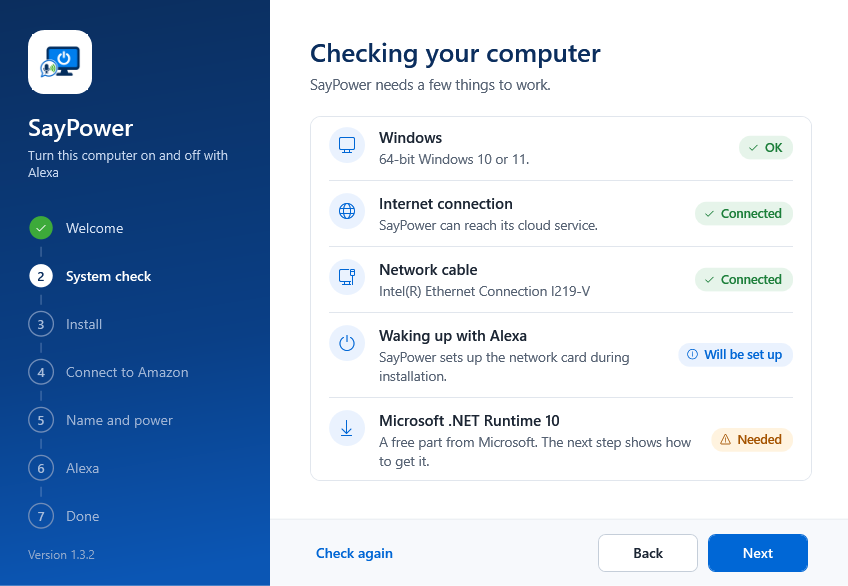
2. System check
SayPower checks your computer. If Microsoft .NET Runtime 10 is missing, the installer shows how to get it from Microsoft.
3. Install
Choose the options and install. Windows asks for administrator permission. SayPower sets up the network card for wake-up, and it puts the settings back if you remove it.
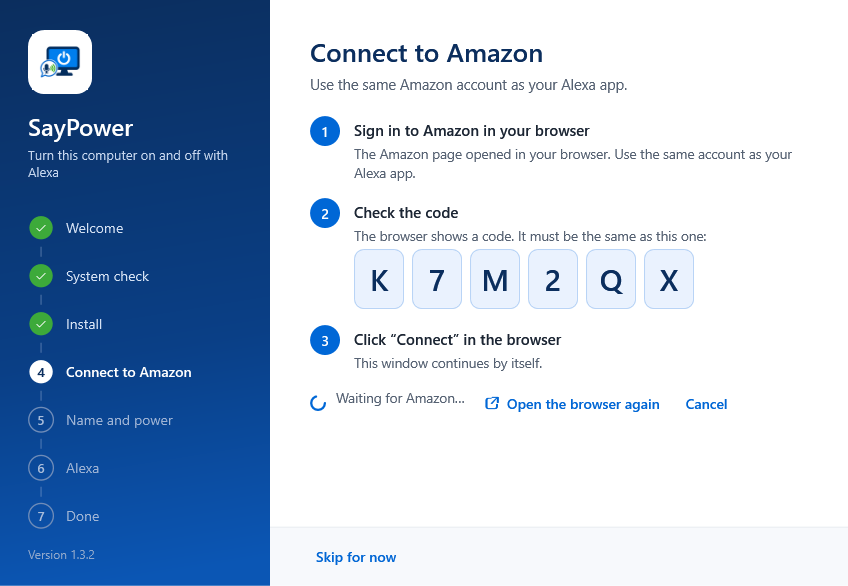
4. Connect to Amazon
Your browser opens the Amazon sign-in. Use the same account as your Alexa app. Check that the code in the browser is the same as in SayPower, then click “Connect”.
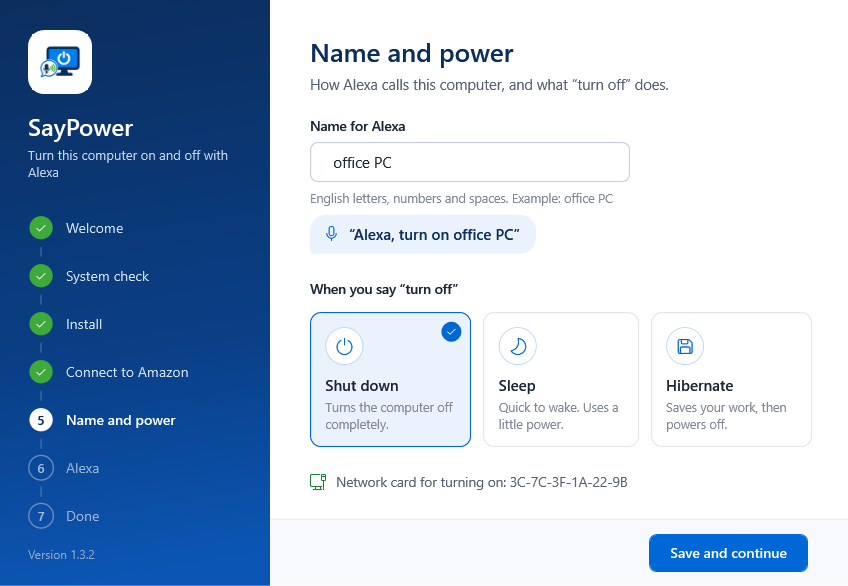
5. Name and power
Choose the name you will say to Alexa, and what “turn off” does: shut down, sleep or hibernate.
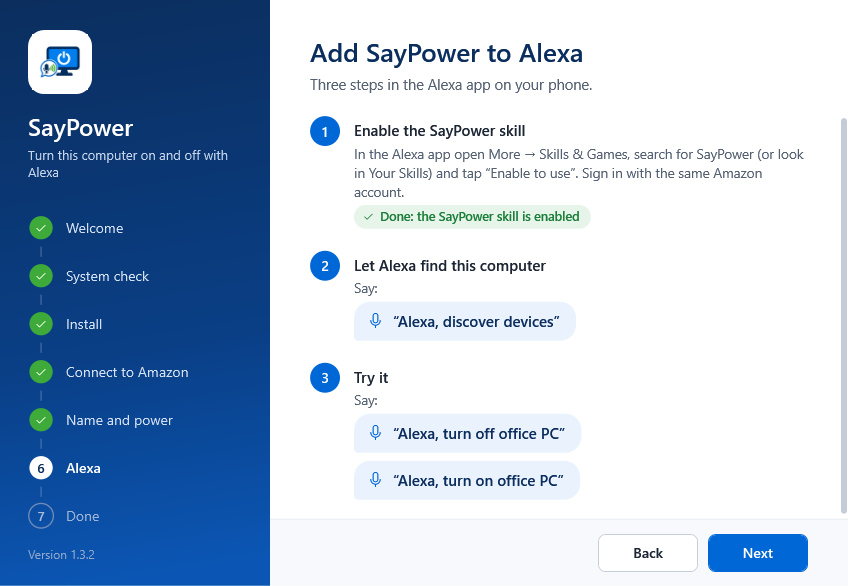
6. Add SayPower to Alexa
In the Alexa app enable the SayPower skill, then say “Alexa, discover devices”. After that, try “Alexa, turn off [name]” and “Alexa, turn on [name]”. Save your work before you try “turn off”.
If “turn on” does not work
- Check the network cable and that your Echo is on the same home network.
- Some computers need Wake-on-LAN enabled in the BIOS, or Fast Startup turned off.
Removing SayPower
Windows Settings → Apps → SayPower → Uninstall.